
Extract Invoice & Receipt Data from PDF to Excel, QuickBooks & Xero
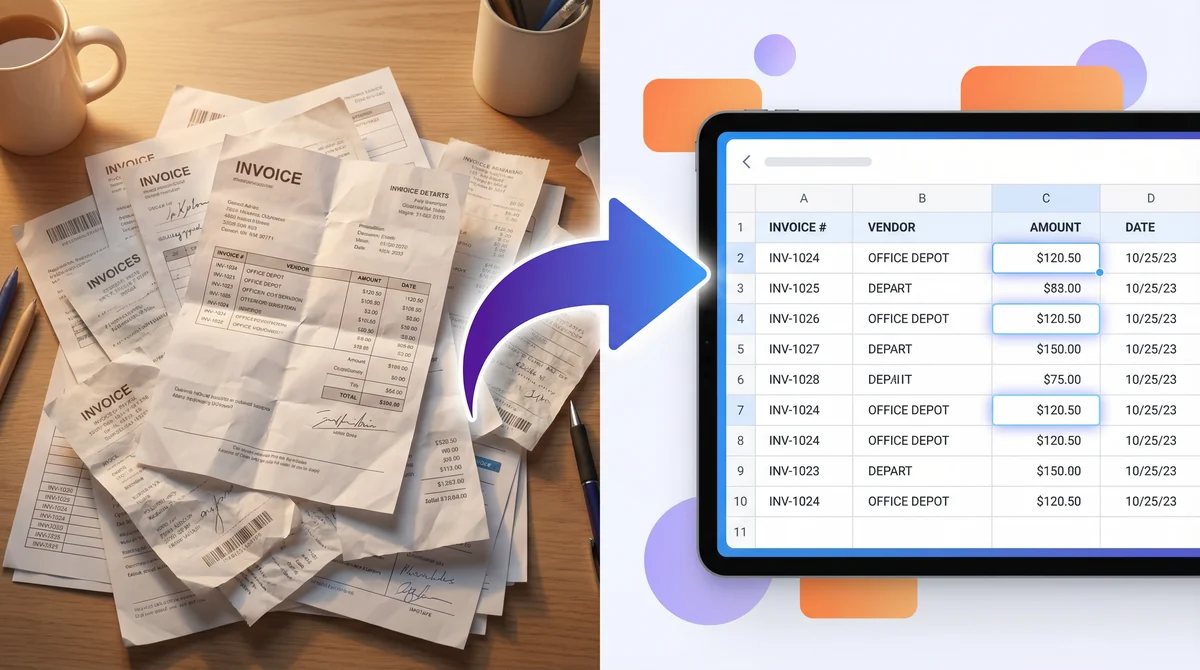
Upload PDF invoices and receipts, extract fields such as vendor names, dates, totals and line items, then review the results. Export to Excel, CSV or JSON, use QuickBooks IIF or Xero CSV, or connect QuickBooks Online.
Features
Tools for invoice and receipt extraction
Explore extraction and export features, with separate tools for paid-plan expense management and invoice creation.
AI-Powered Extraction
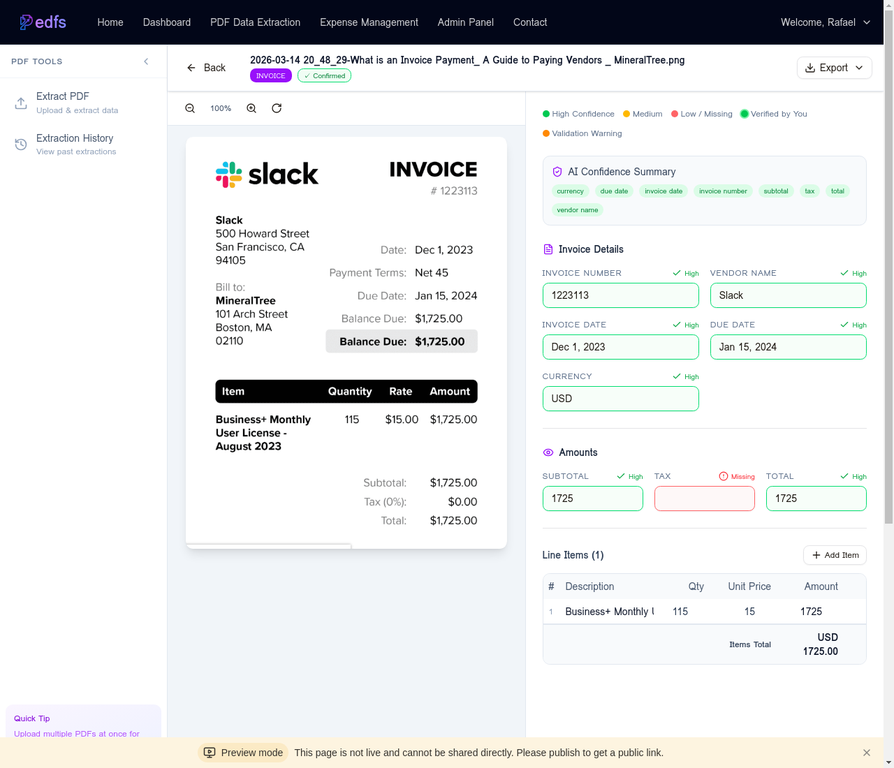
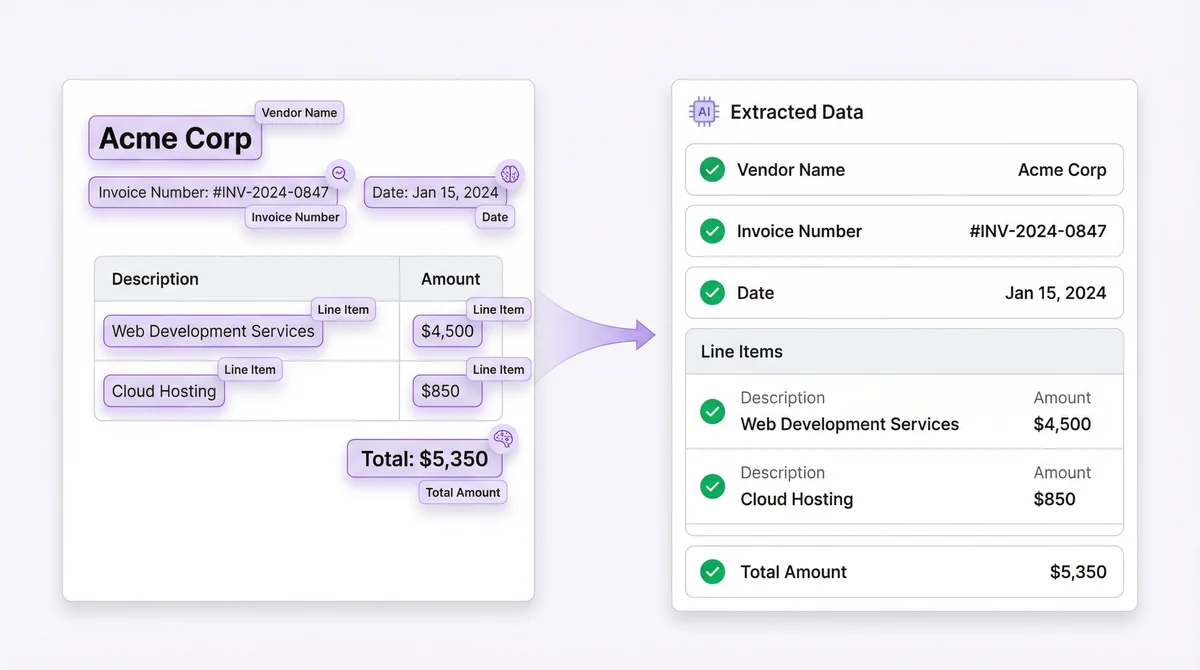
PEDFS analyzes uploaded PDFs to identify invoice layouts, table structures, and relevant data fields. Review extracted vendor names, invoice numbers, dates, line items, subtotals, tax amounts, and totals before export.
OCR Support
Extract data from scanned invoice and receipt PDFs using OCR. Clear, readable scans give the software more information to work with; review the extracted fields against your document before export.
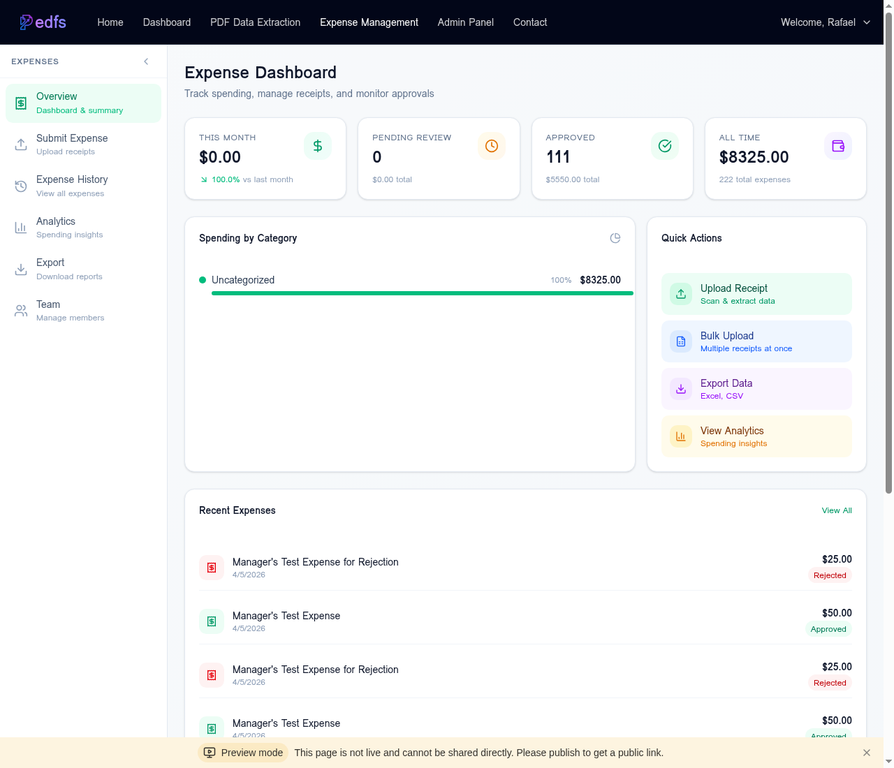
Team Expense Management
On Pro and Business, team members can submit expenses and managers can review, approve or reject them. View expense records and analytics in your dashboard; team-member allowances depend on your plan.
Direct QuickBooks Sync
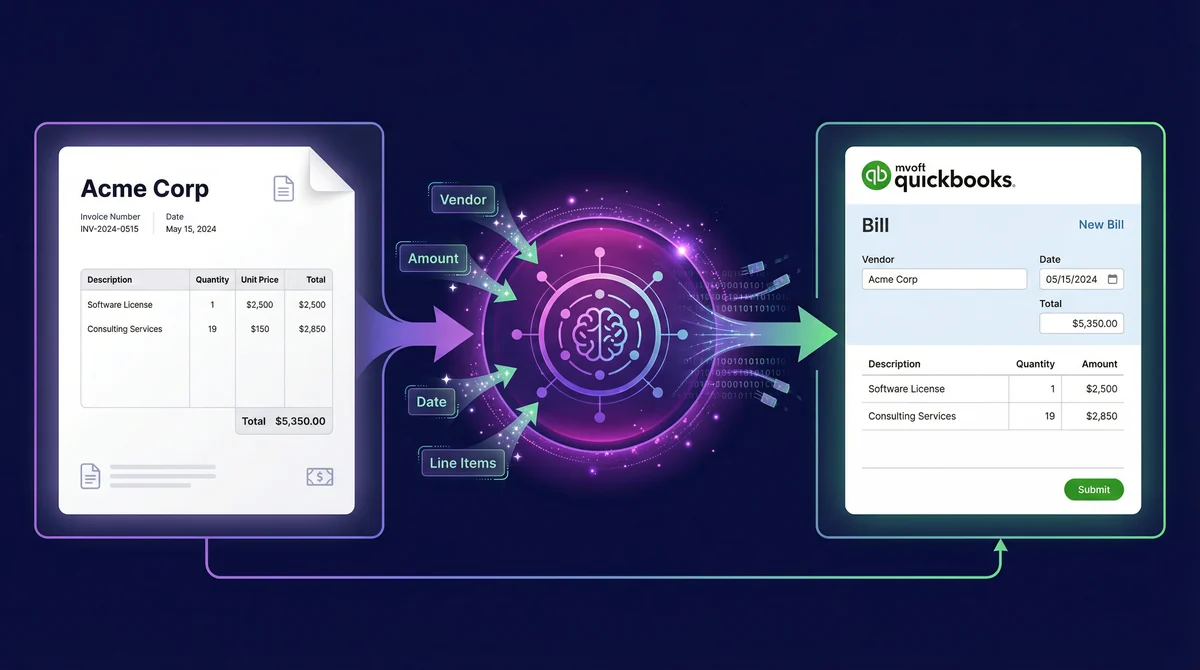
Connect your QuickBooks Online account, review the extracted invoice fields and export invoices as Bills. Check the vendor, line items, amounts and dates before sending them to your accounting account.
Multiple Export Formats
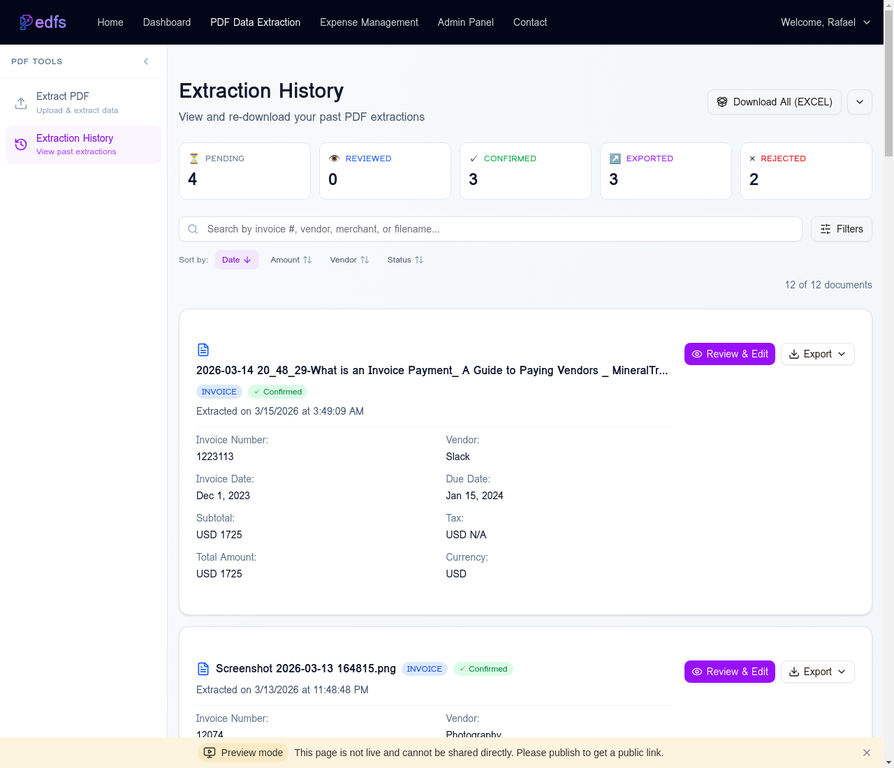
Download your extracted data in the format that fits your workflow. Choose from Excel spreadsheets, CSV files, structured JSON, QuickBooks IIF imports, or Xero-compatible CSV. Bulk export is supported too—download all your extractions at once in a single ZIP archive.
Invoice Creator
On Pro and Business, create invoices with your logo, client details, line items, tax rates and payment terms. Download PDFs or email invoices to clients, and manage their status in your invoice history. Invoice creation allowances depend on your plan.
Less paperwork. More possibility.
Your business deserves
more of your time.
Turn invoices and receipts into useful data, not another evening of manual entry. Start with your own documents and see how Pedfs fits your workflow.
5 invoice or receipt PDF files/month. No credit card required.

Make room for the work that matters.
Invoices, receipts and statements. One workspace.
From PDF to QuickBooks
review, then export
Extract invoice fields from your PDF, check them against the source and export a Bill to your connected QuickBooks Online account. For other workflows, download QuickBooks IIF or Xero-compatible CSV files.
- Automatic vendor matching & creation
- Line items with descriptions & amounts
- Review invoice dates and due dates
- Export reviewed invoice results
- Review and correct fields before export
Simple 3-step process
Upload your document, review the extracted fields and export
Upload a PDF
Upload an invoice or receipt PDF
Extract & Review
Check extracted vendors, amounts, dates and line items against your document
Export
Choose Excel, CSV, JSON, QuickBooks IIF, Xero CSV or your connected QuickBooks Online account

A simple place to start
- 5
- Invoice or receipt PDF files
included each month on Free - 5
- One-time bank statement
trial conversions
Built around your working day
Run your business.
Not your paperwork.
From the cafe counter to your accounting desk, bring invoices, receipts and bank statements into one place. Extract the details, check your results and export for your next step.
5 one-time bank statement conversions · 300 total trial pages · No credit card required
Simple, transparent pricing
Choose the plan that fits your needs
- 5 invoice or receipt PDF files/month (pages do not change the count)
- Invoice & receipt support
- Excel, CSV, JSON, QuickBooks & Xero export
- 5 one-time bank statement trials (300 pages total)
- Email support
- 200 invoice or receipt PDF files/month (pages do not change the count)
- Unlimited expenses
- Up to 5 team members
- AI-powered invoice and receipt extraction
- Priority support
- Bulk upload
- Excel, CSV, JSON, QuickBooks & Xero export
- Expense analytics
- Invoice Creator (50 invoices/month)
- Bank Statement Extractor (50 statements + 500 pages/billing period)
- 1,000 invoice or receipt PDF files/month (pages do not change the count)
- Unlimited expenses
- Unlimited team members
- Advanced analytics dashboard
- Priority email support
- Bulk upload & processing
- Excel, CSV, JSON, QuickBooks & Xero export
- Team expense approval workflow
- Spending insights & reports
- Invoice Creator (unlimited invoices)
- Bank Statement Extractor (unlimited statements + 3,000 pages/billing period)
Pedfs.


Your first step is free
Less admin.
More life.
Try Pedfs for yourself.
A better financial-document workflow starts with one upload. Try it with your invoices, receipts or bank statements—then choose the plan that works for you.
5 invoice or receipt PDF files each month on Free
5 one-time bank statement trials · 300 total pages
No credit card required. Upgrade when you’re ready.




A little more clarity
Frequently
asked questions.
From your first free upload to your next accounting export, here are the essentials.
What can I do with Pedfs?
Pedfs brings PDF invoice and receipt extraction, bank statement extraction, invoice creation and team expense management into one financial-document workspace. Extract the details you need, review your results and export them for your spreadsheet or accounting workflow. Feature access and allowances depend on your plan.
What is included when I try Pedfs for free?
The Free plan includes 5 invoice or receipt PDF files per month, plus 5 one-time bank statement trial conversions with 300 bank-statement pages in total and 5 one-time bank statement QuickBooks IIF trial exports. You do not need a credit card to get started. The bank statement trial is one-time; it does not reset each month.
Can I upload scanned PDFs or photos of my documents?
Yes. The extraction tools support digital PDFs, scanned PDFs and JPG, PNG or HEIC images. Use clear, readable copies with all dates, amounts and page edges visible. Image quality and document layout affect extraction, and you can check and correct your results before exporting.
Does a multi-page PDF count as one extraction or several?
For invoice and receipt extraction, one uploaded file counts as one extraction; its page count does not increase that file count. Bank statements have separate statement and processed-page allowances. For example, a 100-page bank statement counts as one statement and 100 bank-statement pages.
Can Pedfs process large bank statements?
Yes. Bank statement PDFs can be up to 250 MB, and bank statement images can be up to 90 MB. Large PDFs are uploaded in secure page ranges and processed as one statement, so you do not need to manually divide them into separate conversions. Your plan's remaining page allowance still applies. These limits are for Bank Statement Extractor; other tools show their own upload limits.
Can I use my results with QuickBooks, Excel or Xero?
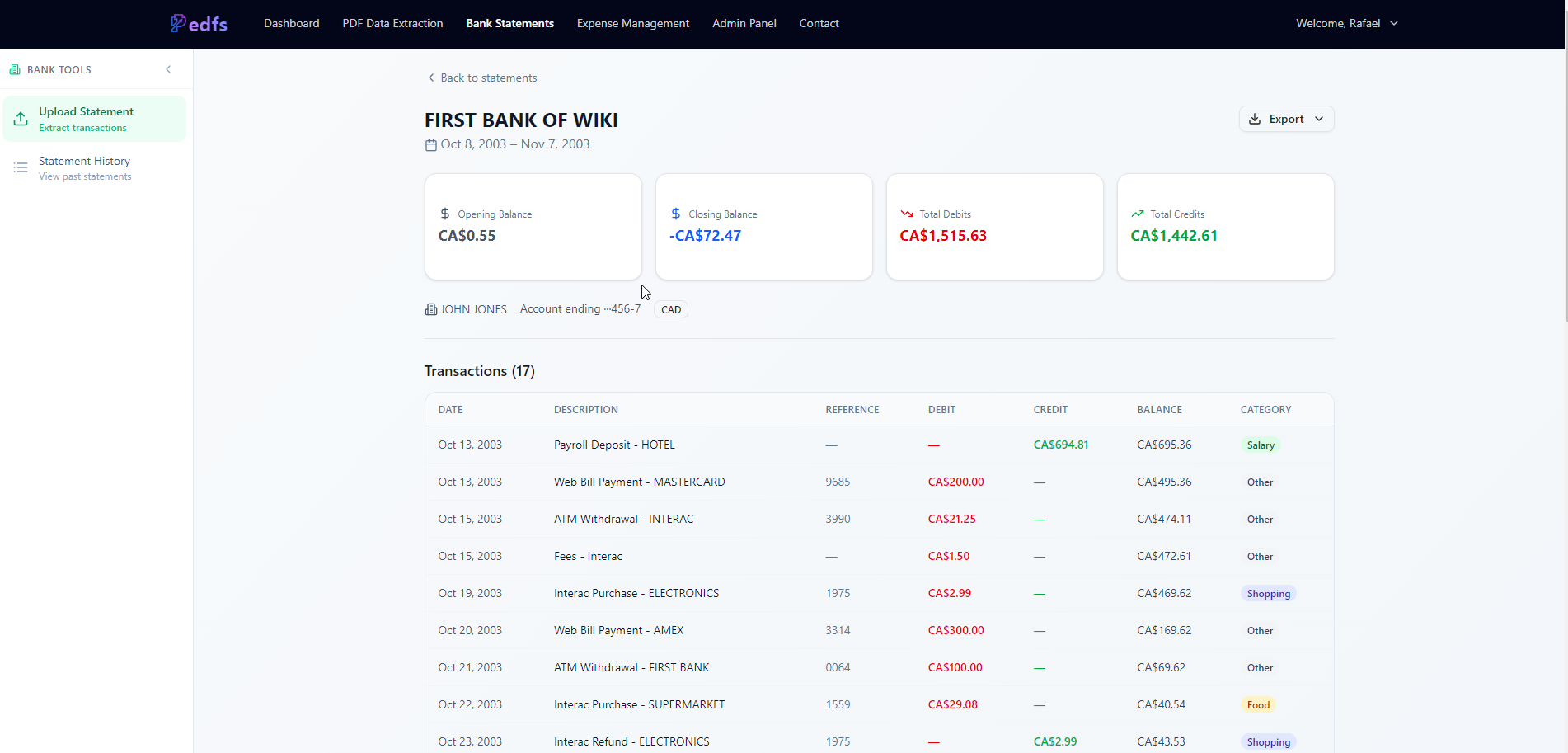
Yes. Invoice and receipt results can be exported to Excel, CSV, JSON, QuickBooks IIF and Xero-compatible CSV. QuickBooks Online connection and QuickBooks Desktop IIF export are separate workflows. For bank statement IIF exports, you can choose your bank, payment and deposit accounts before downloading. Available options are shown in each tool, and incomplete or unresolved accounting results may need correction before accounting export.
Can I upload multiple files and find my results later?
Yes. Pedfs supports multi-file uploads, with availability and limits shown in each tool. PDF Extraction History and Bank Statement History keep your extracted results organized. You can open a result, review its details and use the available individual or bulk export options without combining every file manually.
What do Pro and Business include for invoices and bank statements?
Pro includes 200 invoice or receipt files per month, 50 created invoices per month and 50 bank statements with 500 processed bank-statement pages per billing period. Business includes 1,000 invoice or receipt files per month, unlimited created invoices and unlimited bank statements with 3,000 processed bank-statement pages per billing period. See the pricing page for the full feature comparison.
Can I upgrade or cancel my subscription?
Yes. You can manage your subscription from your account and upgrade when you need more capacity. If you cancel a paid plan, it remains active until the end of your current billing period. Starting on Free does not automatically subscribe you to a paid plan.